

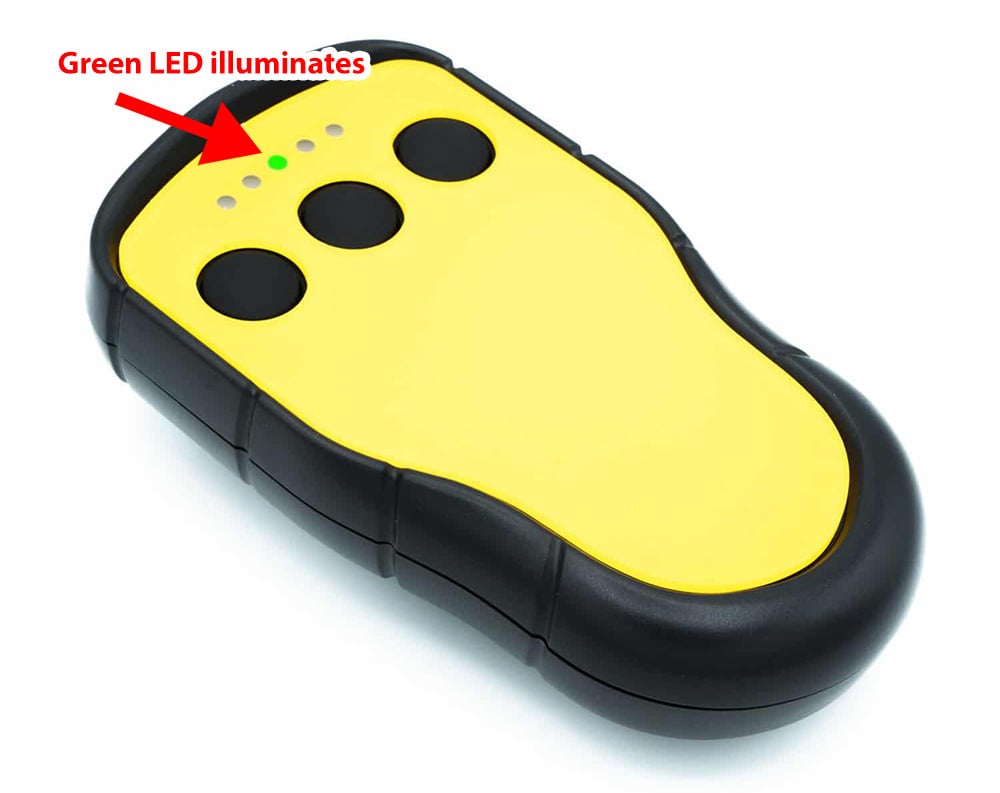
- When pressing the buttons on the yellow grapplesaw remote, a green LED should illuminate on the remote.
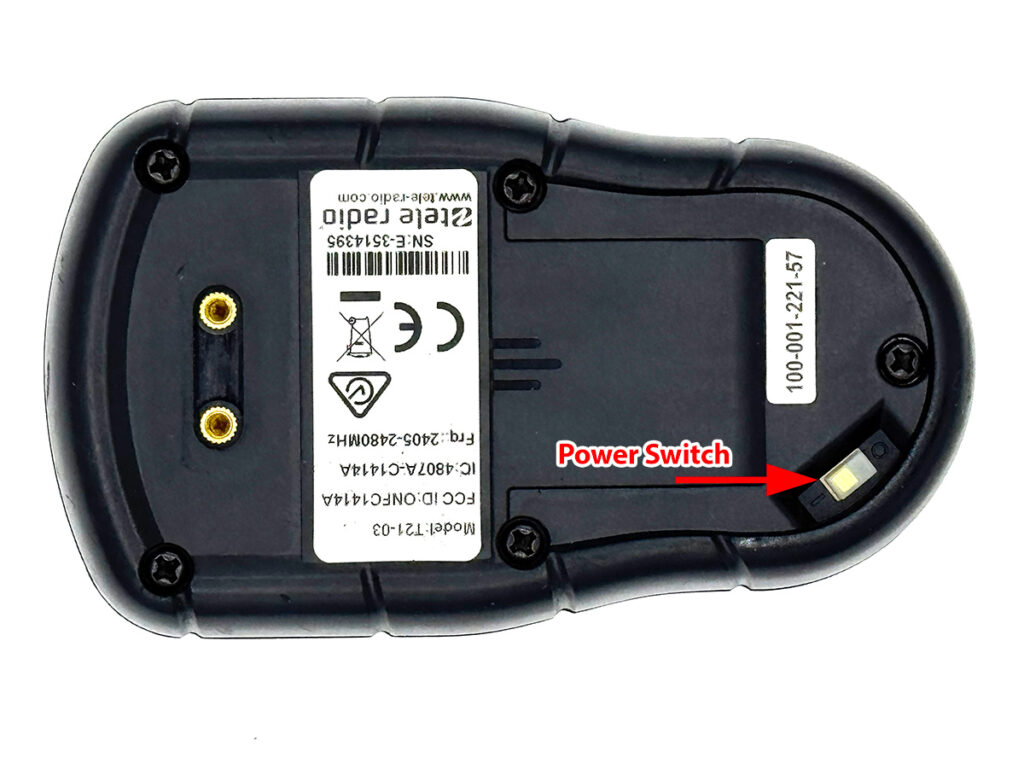
- If there is no LED illuminating, check the switch on the back is turned on.
- If the switch is turned on, change the batteries in the remote and try again.
- After changing the batteries and the LED still does not illuminate, the remote will need to be replaced. A replacement remote can be ordered here
If the remote is functioning properly, you will now need to check if the grapplesaw battery has the proper voltage.
- Replace the current battery with a fully charged battery. Using a voltmeter, check the voltage on the battery. A fully charged battery should be around 12.8V-13.4V. Sometimes the battery charger will show a green LED instead of red, even if the battery isn’t charged.
- If your charger is showing a green LED when the battery is not charged, try a new battery on the charger. If the same issue happens with the new battery, the charger is likely defective and must be replaced. A new charger can be ordered here.
If a new battery does not fix the issue, you will need to check if the receiver is receiving power from the battery.
- Remove the protective cover on the grapplesaw. Remove the plastic cover on the receiver to access the receiver board.
- If there are no LEDs illuminated, the board is either not receiving power or the board is faulty. (Look closely at the board for any burn marks. If there is a burn mark you will need to replace the board)
- Check the battery cable for any damage or corrosion on the battery terminals. A new battery cable can be purchased here
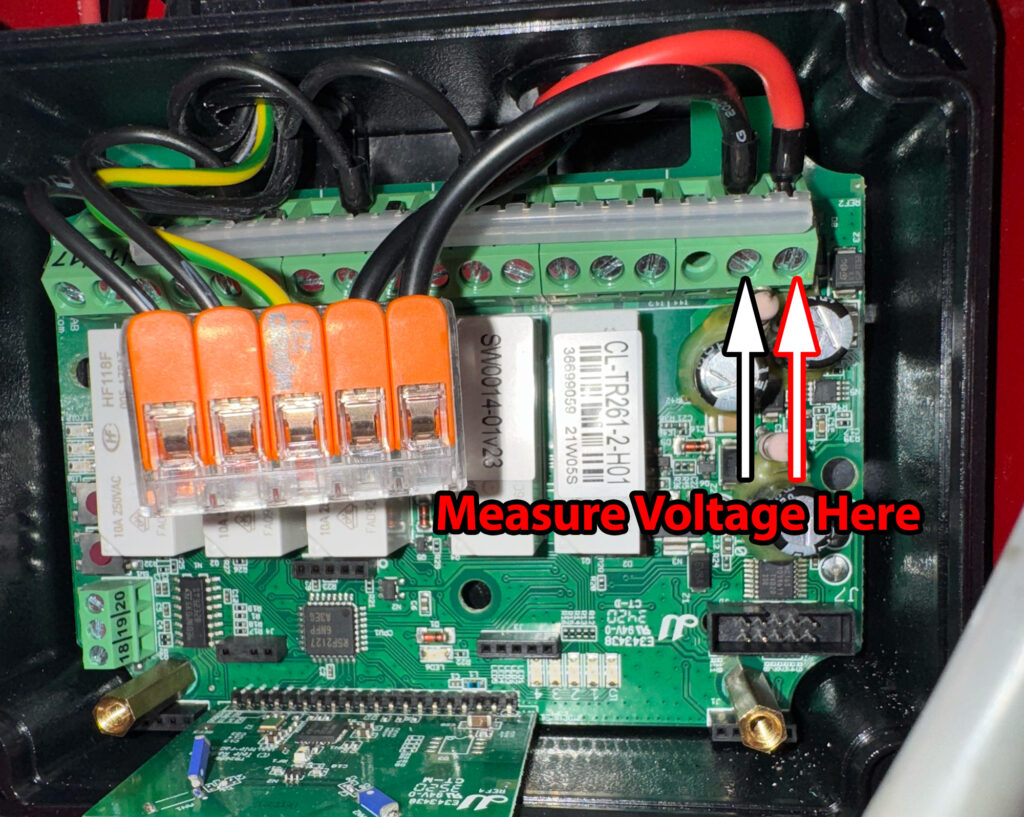
- If the battery cable is fine, confirm power is coming to the board by measuring the voltage coming in at terminal 1 with a voltmeter. It should read the same as the voltage battery.
- If it is receiving a lower voltage or no voltage, there is an issue with the power cable coming from the receiver to the battery or the cable attached to the battery.
- Replace the receiver cable. A new receiver cable can be purchased here
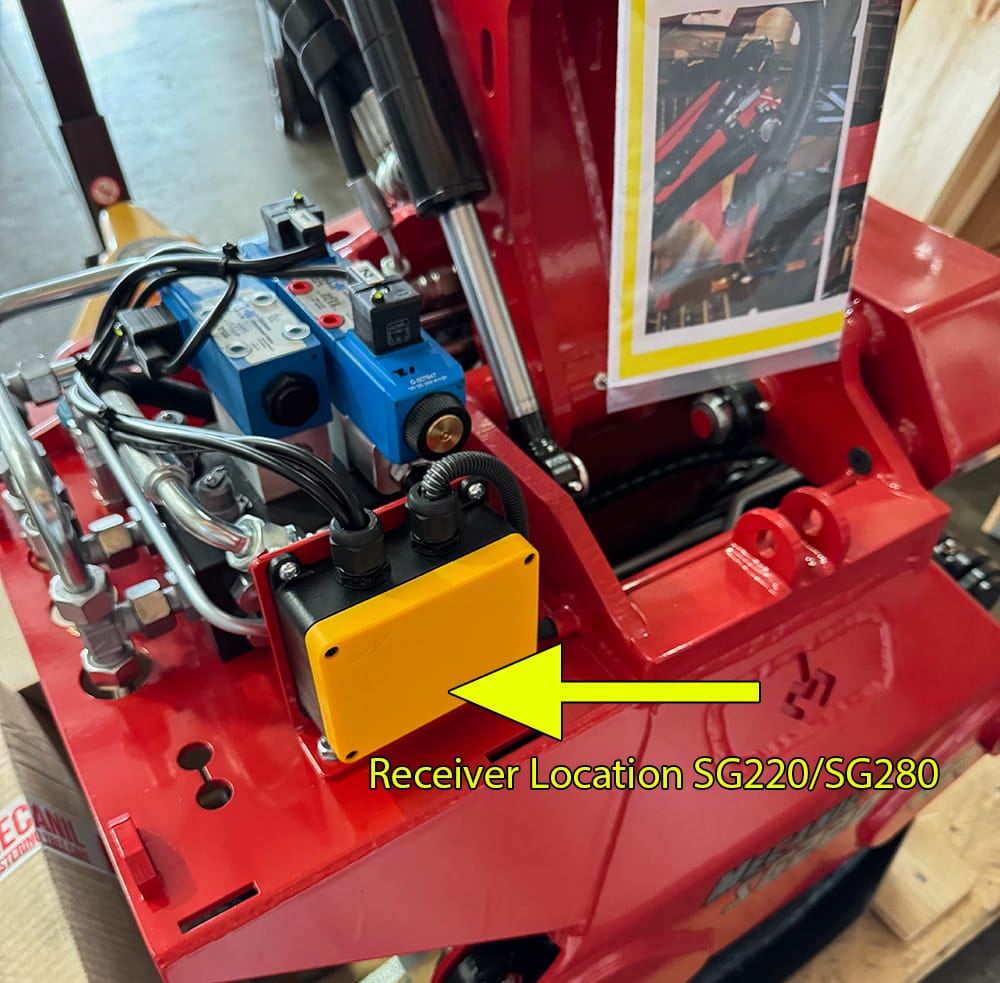
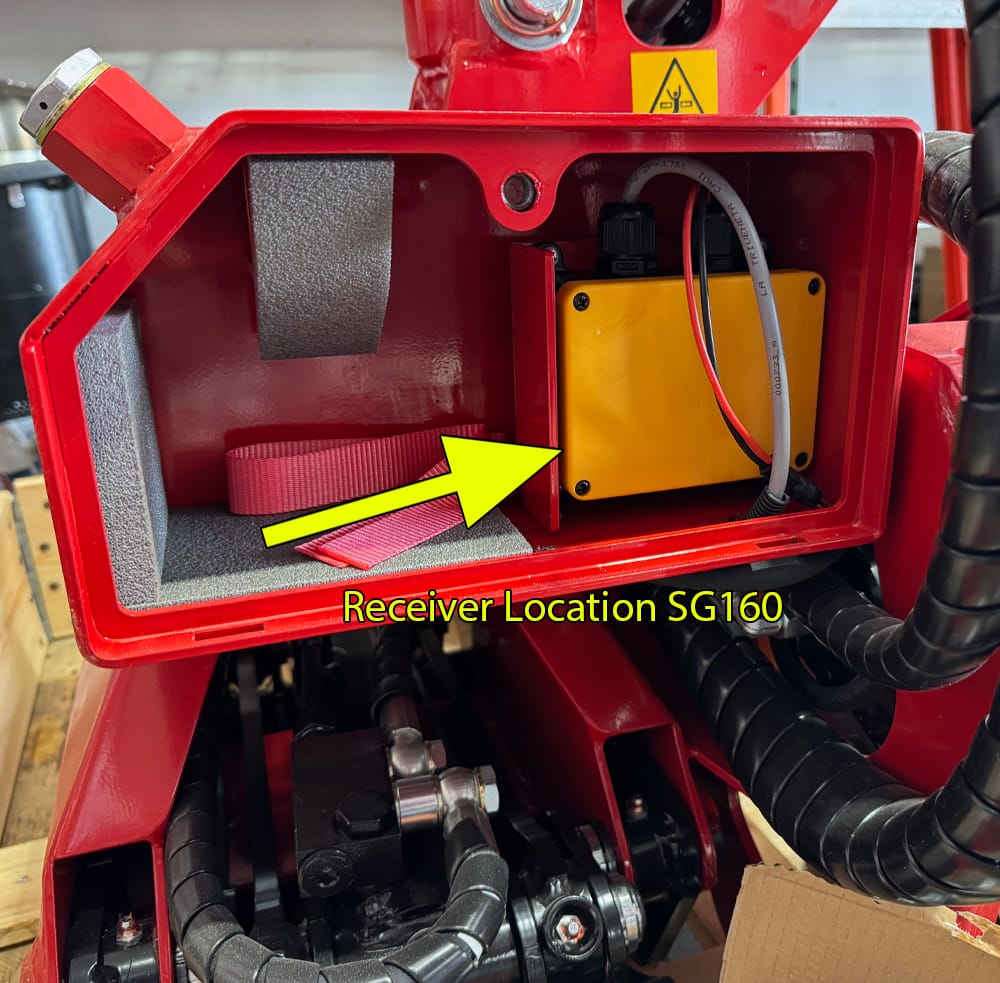
- If the receiver has the LED6 illuminated solid orange and LED7 blinking red, it is receiving power and paired properly.
- If the receiver has other LEDs illuminated or just has LED6 illuminated, you will need to re-pair the remote with the receiver. Pairing instructions can be found here.
- If re-pairing the remote does not work, the board may be faulty. You can purchase a new receiver board here.